
Getting Started with Harpoon
Not sure which one you're using? The new interface has a dark sidebar and /app/ in the web address; the classic interface has a bright blue sidebar. You can switch at any time: in the new interface, click your name (top right) and choose Switch back to classic; in the classic interface, hover your avatar (bottom left) and choose Try the new Harpoon.
Welcome to Harpoon, time tracking and billing software for creative teams.
Harpoon doesn't just record your financial past. It also helps you plan and predict a profitable future, with goal-setting, budgeting and forecasting built in. Here's an overview of a typical workflow. Everything starts from the left sidebar.
Set a financial goal
When you signed up, you entered a yearly revenue goal: the money your business needs each year to cover expenses, pay salaries and make a healthy profit. You'll see it put to work as you track your activity in Harpoon. You can change it any time under Settings. Learn more...
Create projects
A project groups together a client's tracked time, invoices, estimates, expenses and notes for one piece of work. A project can have an hourly or fixed fee budget, a planned schedule, and its own task rates and team members. Harpoon tracks the revenue and costs for each project and shows its profit and margin. Click + New and choose Project to start. Learn more...
Track time
Invite team members to track time for your projects, using timers or by adding hours manually under Time. You'll always know what each hour costs your business, and what it's worth if you bill your client for it. Learn more...
Record and budget expenses
Harpoon tracks and categorizes your business expenses, for the whole company and for each project. You can also set a monthly expense budget to keep your spending on purpose and your business profitable. Find it all under Expenses. Learn more...
Create invoices
When you're ready to bill a client, send them an invoice. Invoices are flexible: bill for hours, fixed fees, retainer deposits, services, expenses, products, or anything else. You can also set up recurring invoices that automatically charge your clients' credit or debit cards. Find them under Invoices. Learn more...
Plan and forecast
Harpoon turns your team's project and billing activity into a forecast of your expected revenue, shown on your Schedule. You'll see which months each project is scheduled for, the revenue you've collected this year, and the revenue you still expect from each project, along with your progress toward your monthly and yearly goals. Learn more...
Analytics and reports
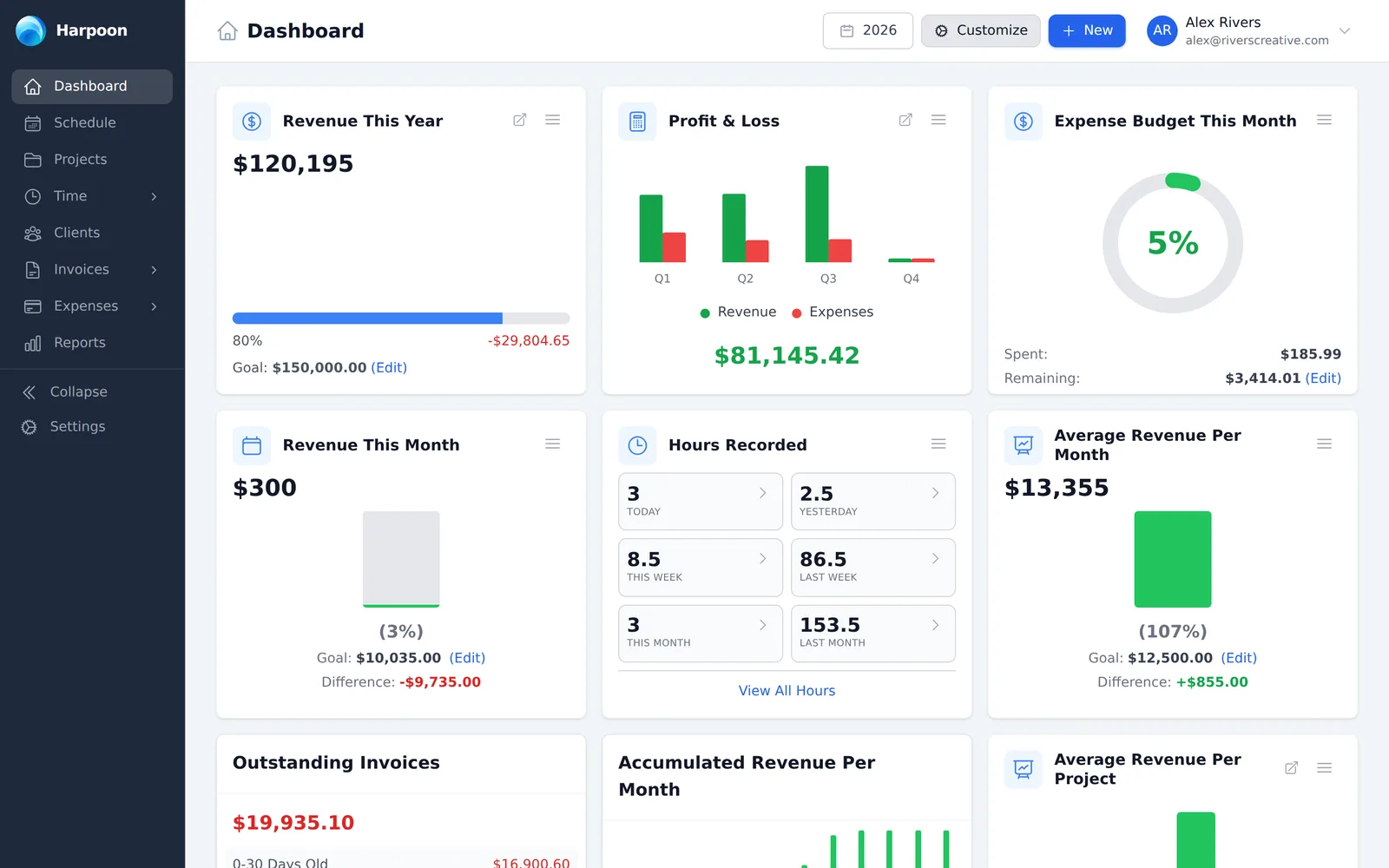
Your Dashboard helps you keep an eye on the health of your business with widgets you can customize. Reports make it easy to organize and share your numbers with your accountant and others. Learn more...
Welcome to Harpoon, the next generation time-tracking and billing software for your creative team!
Harpoon was designed to go beyond traditional time-tracking and billing tools, by not only tracking and recording your financial past, but also helping you plan and predict a profitable future.
This is accomplished by some unique goal-setting, budgeting, and forecasting features. Let's get you up and running with an overview of a typical workflow in Harpoon:

When you first signed up for Harpoon you entered a yearly revenue goal for your business. This goal should reflect the amount of money your business needs to generate each year in order to cover all expenses, pay salaries, and make a healthy profit. You'll see this goal put into action as you start tracking your work activity in Harpoon. Learn more...

A project in Harpoon is a way for you to group together a client's tracked time, invoices, estimates, expenses, and notes for a single piece of work. A project can have fixed fee and/or hourly budgets, a planned schedule, and unique hourly rates and team members. Harpoon tracks all revenue and costs associated with a project and provides an accurate profit & margin calculation for each of your projects. Learn more...

Invite team members to track time for your projects. Time can be tracked using Harpoon's timers, or entered manually. You'll always know the internal cost to your business of every hour recorded, along with the potential value and profit of those hours should you bill your client for that work. Learn more...

Harpoon tracks and categorizes all of your business's expense transactions, both on a company level and project level. And unique to Harpoon is the ability to create a monthly expense budget for your business, bringing purpose and discipline to your spending, with the end goal of keeping your business profitable. Learn more...

When you're ready to bill your client for a project you can send them an invoice. Invoices in Harpoon are very flexible and allow you to bill for hours worked, fixed fees, retainer deposits, services performed, expenses incurred, products sold, or any other number of items you can dream up. You can also set up automated recurring invoices that allow auto-billing of your clients' credit or debit cards. Learn more...

Harpoon automatically tracks your team’s project and billing activity and converts it into an accurate forecast of your expected revenue. This activity is displayed on your Schedule. Here you'll see which months are blocked out for each of your projects, along with a record of the year's collected revenue as well as the expected revenue you still plan to receive from each project. The Schedule also shows how your collected and expected revenue is affecting your monthly and yearly goal progress. Learn more...

No other product helps you know your numbers like Harpoon does. Your own customized Dashboard helps you monitor the current and future health of your business, showcasing dozens of crucial metrics. And Harpoon’s Reports make it easy to organize and share these numbers with your accountant and other stakeholders. Learn more...